Search For
Search
Home
Knowledge Base
Binance
How to Make Sub Account Switchable in Binance
How to Make Sub Account Switchable in Binance
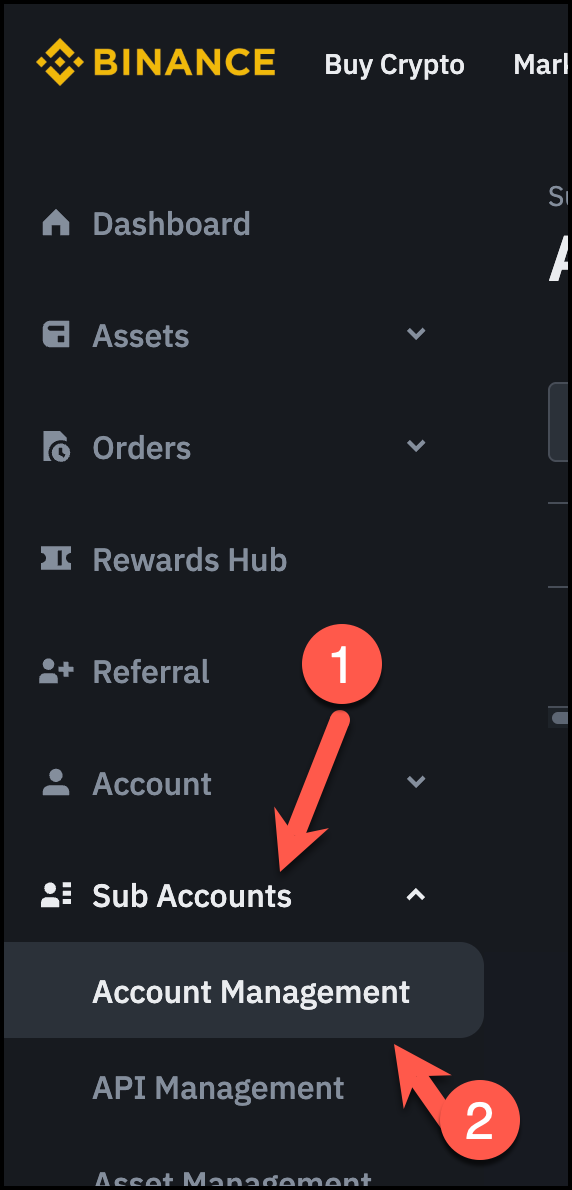
Goto Sub Account Management
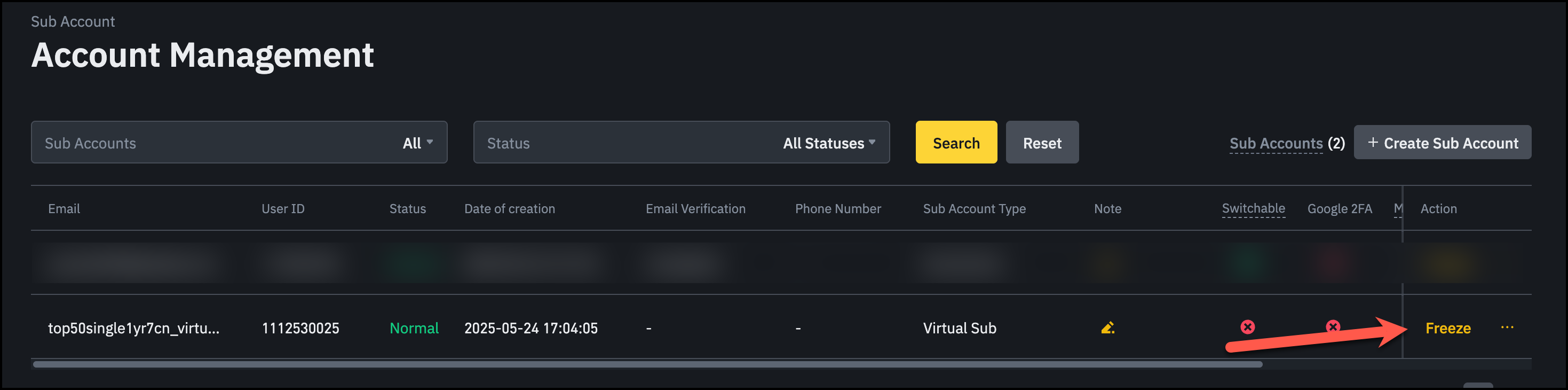
Click: Freeze
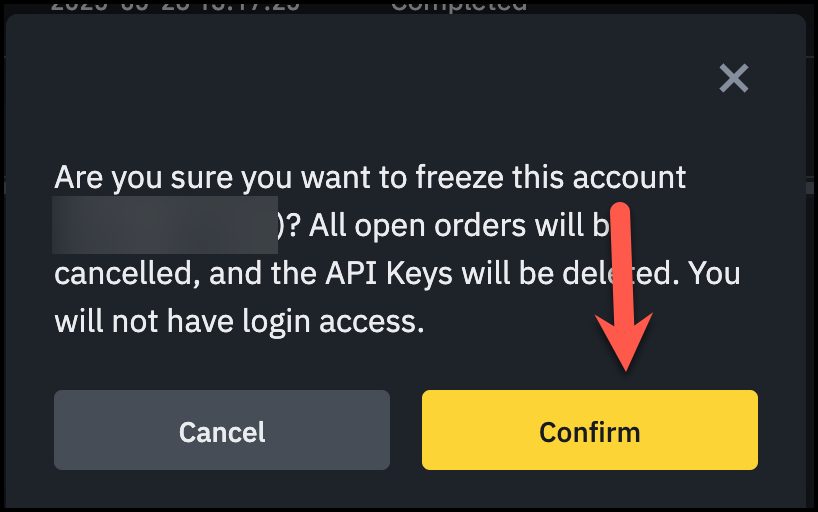
Important Before Activating Freeze:
Ensure you don’t have any bot running or any active trades
Click: Confirm
Was this article helpful?
Yes
No
Related Articles
How to Use Binance with BitsTurtle AI Bot
Using Same Email Address in Binance Sub Account
How to Create Subaccount in Binance Using Virtual Email (Not Recommended)
How to Transfer Funds to Subaccount in Binance
How to Create Subaccount in Binance Using Email
How to Create API Key in Subaccount in Binance
Help Articles
Private article
Private article
Private article
Private article
Private article
All Help Articles
Need Support?
Can't find the answer you're looking for?
Contact Support